Context Scout
Working iPhone app
My contributionConcept development · Product and interface design · AI-assisted development direction · Functional testing
The project in five slides
 01 / Capturing the whole picture
A home assessment generates more than photos.
While training to conduct home energy assessments, I wondered how I would keep track of all those observations and turn them into accurate reports afterward. I wanted a way to preserve the details while they were still in front of me.
02 / Building on an existing habitThe phone was already part of the workflow.
Taking photos is a regular part of assessment work. From producing events and conducting site visits, I also knew the frustration of work photos getting mixed into my personal library.
Context Scout gives those captures a separate home, organized by project, so work documentation stays together.
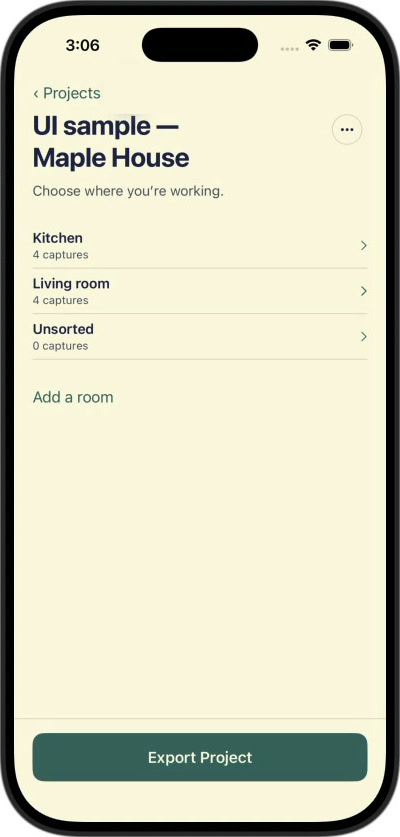 03 / Giving photos context
A photo shows what you saw. A voice note explains what mattered.
An image of a window or appliance may need an explanation: where it is, what you measured, what concerned the homeowner, or what needs attention.
I added voice notes so users could capture those observations alongside their photos, using the phone they were already carrying.
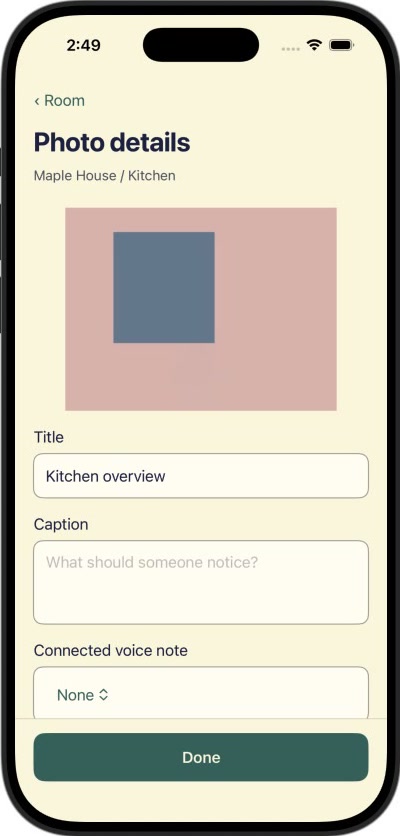
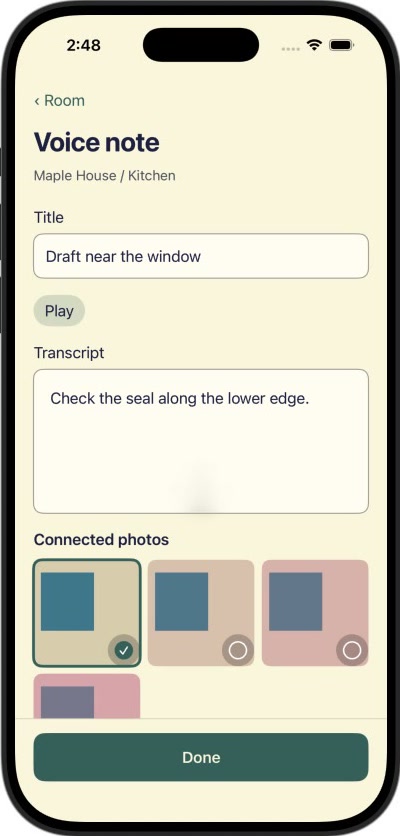
App screens with sample data
04 / Connecting capture to the next stepMake the information easier to put to work.
GitHub export gives users a way to make their captured material available to an AI agent of their choice, with their permission, to support tasks such as drafting reports.
I also added Google Drive export so the app could serve people who simply want organized work documentation in a familiar place. Its usefulness shouldn’t depend on adopting an AI workflow.
05 / From concept to working appI shaped the product and directed its development.
I originated the concept, defined the features and workflows, and used Gmail as a starting point for a familiar interface. AI agents wrote the code, while I directed implementation, tested the app, and adjusted its behavior and functionality.
The result is a working iPhone app that connects project-based capture with the tools people use afterward. Functional testing established that the system works, and it is currently undergoing further field testing.
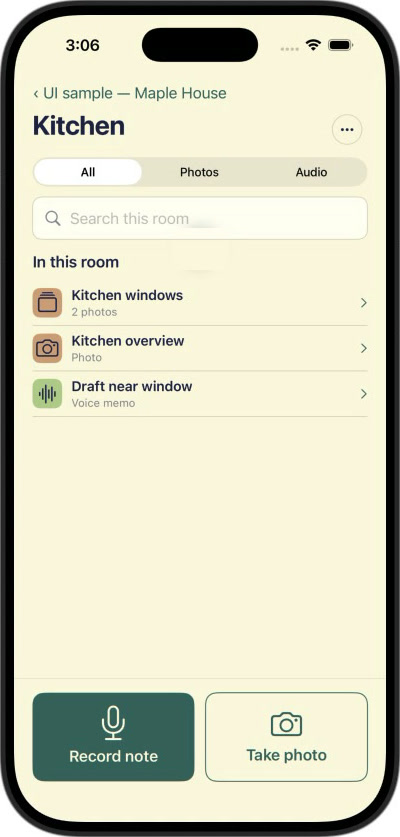
- My role
- Concept
- Features and workflows
- Interface, starting from Gmail
- Directing implementation
- Testing and adjusting
- AI agents
- Wrote the code
Context Scout is an iPhone app that bundles a project’s photos and voice notes into one package an AI agent can work from directly, so it can help you fill out the long documentation and forms the work depends on.
The idea emerged while I was training to conduct home energy assessments. From window measurements and appliance labels to equipment readings and homeowner concerns, an assessment produces information that has to make its way into detailed reports and forms after you leave the house. I wanted every photo and observation from a visit kept together with its context, then delivered through GitHub or Google Drive, so an AI assistant could work from the real material instead of my memory.
I developed the concept, designed the interface and workflows, and directed AI agents to build the app. Using Gmail as a familiar starting point for the interface, I added and adjusted functionality through hands-on testing.